
Top Features Every Electronic Health Records Software Needs
Key Takeaways
- Electronic health record systems differ from EMR by enabling secure data sharing across multiple healthcare providers and settings
- Centralised patient data in one system eliminates time wasted searching through disconnected tools and supports faster clinical decisions
- GDPR compliance and the Data Security and Protection Toolkit alignment are mandatory for UK practices handling sensitive health data
- Real-time updates across health systems ensure all team members work from accurate and current patient information
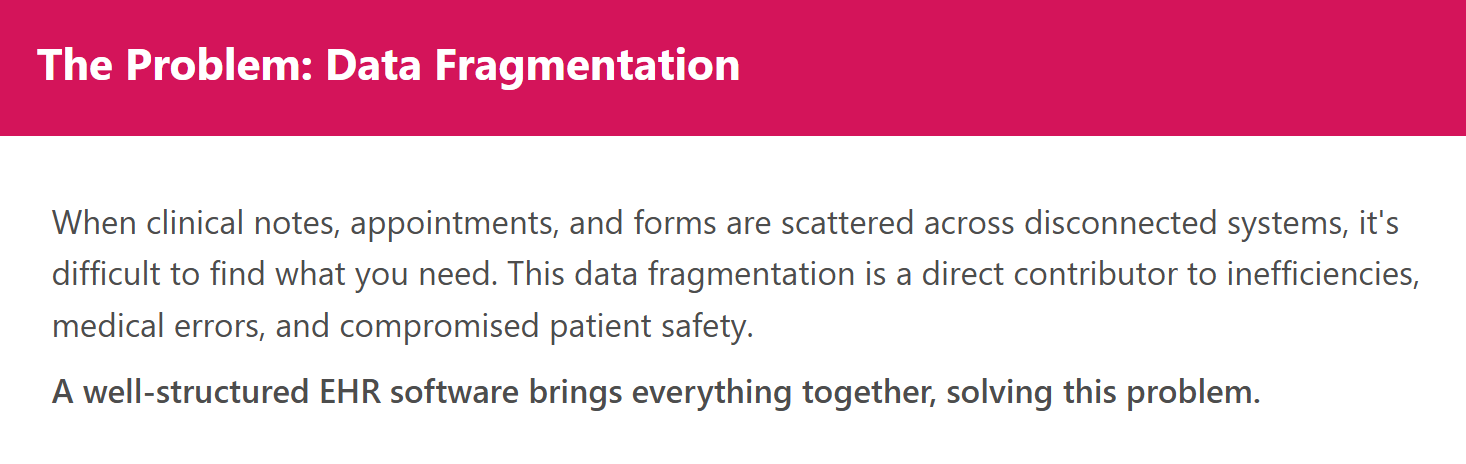
Accessing patient information across different systems creates unnecessary complications. When clinical notes sit in one place, appointment details in another, and forms are scattered across emails, accessing what you need during consultations becomes difficult and increases the chance of missing important details.
Many practices piece together workflows using spreadsheets, shared drives, basic note apps, and manual forms. These makeshift solutions work until they don't. Documentation becomes inconsistent, communication breaks down, and routine admin eats into time that should go toward patient care. A well-structured electronic health records software brings everything together, keeping your team organised and your records accurate.
The right EHR platform makes clinical workflows smoother, cuts down on admin time, improves record keeping, and supports compliance requirements.
What is electronic health records software?
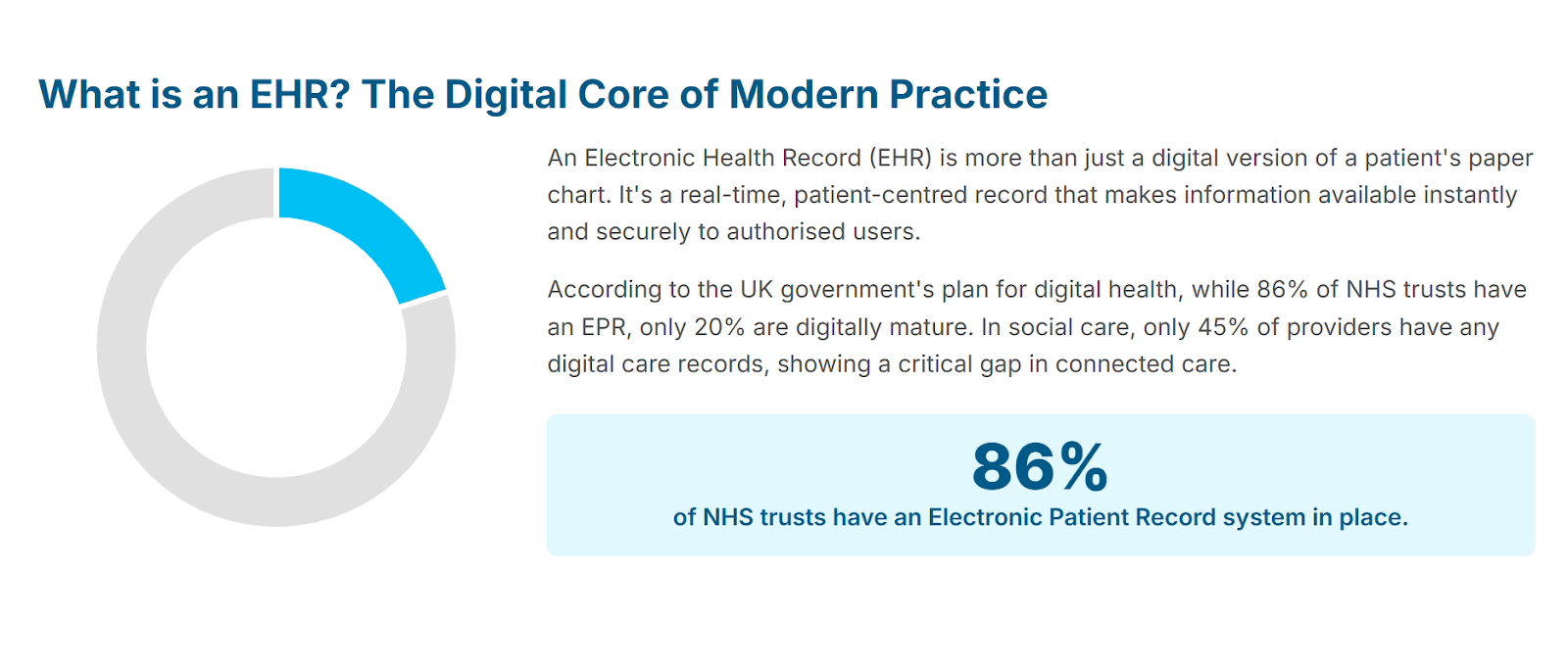
Electronic health record systems digitise and centralise a patient's complete health history in one accessible system. Healthcare providers can access diagnoses, treatments, laboratory results, imaging, assessments, and patient charts instantly.
How EHR systems work
Think of an EHR as the digital version of a patient chart, but far more comprehensive and interconnected. The system brings together health care information and diagnostic data, uses secure Health Information Exchange networks to share health data between hospitals, labs, and specialists, and integrates with practice management tools for scheduling and billing. This connected workflow reduces duplicate data entry and speeds up processes.
How EHR differs from EMR
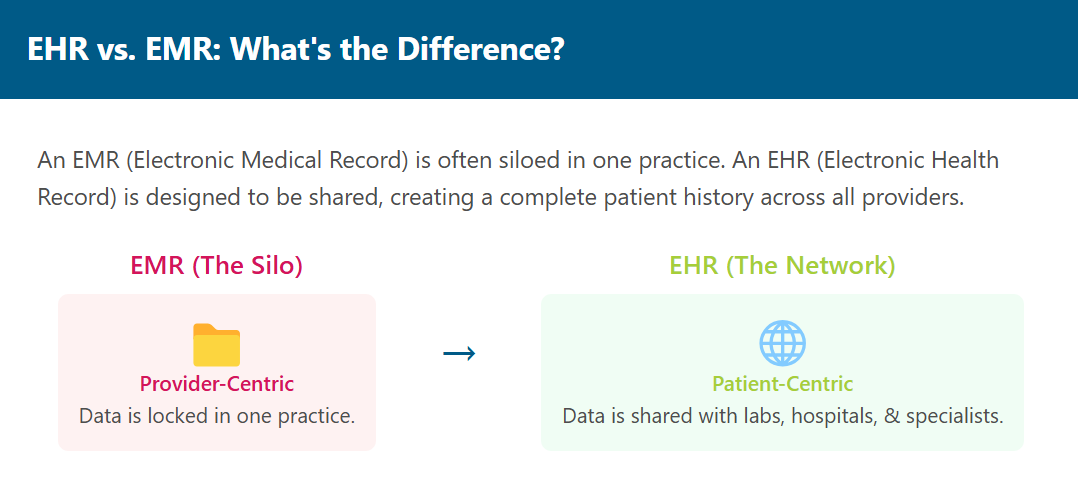
Electronic Medical Record stores information for a single provider or clinic. EHR software, on the other hand, captures information that can be shared to all different healthcare settings and providers, giving teams access to a more complete medical history.
Electronic Medical Record focuses on one medical practice, while electronic health record systems support coordination across multiple healthcare providers.
This distinction matters for patient outcomes. Personal Health Record access combined with Electronic Medical Record integration creates a Virtual Medical Record that supports better continuity of care.
Benefits of using EHR in private practice
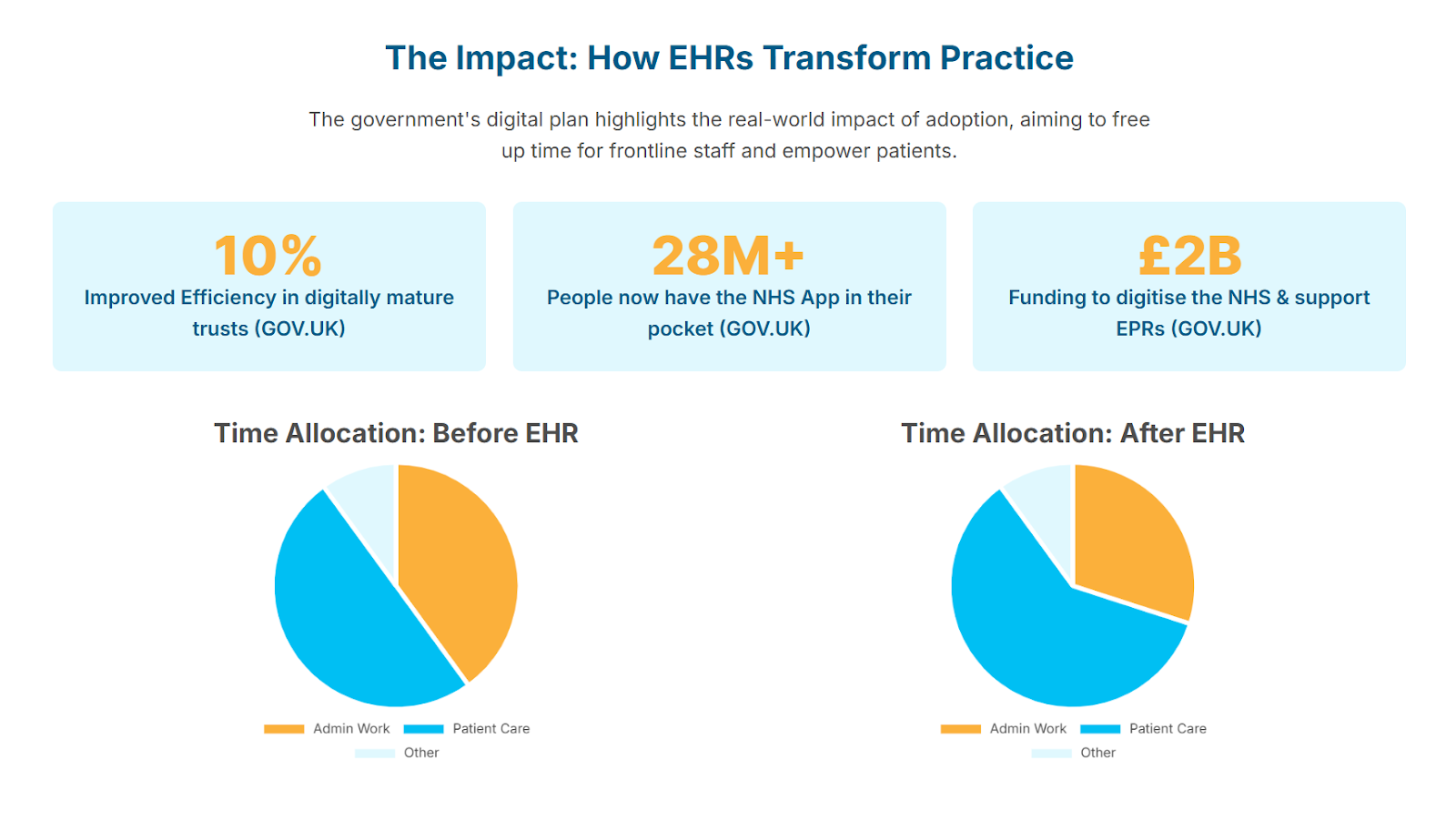
EHR software delivers instant access to medical history during consultations, reduces errors from manual processes, maintains consistent documentation across your team, speeds up workflows and billing, and creates more time for patient care instead of admin tasks. Better patient engagement through portal access improves operational efficiency and patient safety.
10 must-have features in electronic health records software
1. Centralised patient data
A complete electronic records system brings together demographics, medical history, diagnoses, medications, test results, lab results, imaging, assessments, files, and forms in one place. This single source of health data saves time searching through different systems and helps you make informed decisions quickly. Effective general practice patient management relies on having all patient information accessible in one location.
2. Tools that support care coordination
EHR software makes it easier to share health data securely across different healthcare providers and settings through Health Information Exchange. The system supports reviewing shared documentation, coordinating with specialists, sharing care plans, and smoother handoffs between appointments.
3. Real-time data updates for accuracy
Information updates instantly across health systems. When one team member adds documentation or uploads a file, others see it straight away. Healthcare providers have accurate and current details before and during appointments, reducing risk management concerns. When patients access their personal health record, they help maintain data quality by identifying inaccuracies.
4. Workflow efficiency tools
Integrated scheduling, templates, and communication tools cut down on manual admin and reduce errors from working across disconnected systems. Clinicians move between appointments, documentation, and tasks while keeping information consistent. This integration speeds up billing processes and reduces duplicate data entry.
5. Secure cloud-based data storage
Cloud-based software offers encrypted storage, strong user permissions, and automated backups. Processing health data requires compliance with the Data Protection Act 2018 which enacted GDPR into law, and the Common Law Duty of Confidentiality.
The Data Security and Protection Toolkit sets the standard. The 2024-2025 DSPT is now aligned with the National Cyber Security Centre's Cyber Assessment Framework. WriteUpp's security measures include ISO 27001 certification and GDPR alignment.

6. Customisable templates for clinical notes
Templates should support structured documentation while letting clinicians adapt fields to suit their workflow. Good templates support SOAP notes, DAP formats, and other structures with customisable fields. This keeps record-keeping consistent and speeds up documentation.
7. Integrated appointment scheduling
A built-in diary management system that connects to digital records helps clinicians move from booking to note writing without switching systems. Integrated scheduling puts reminders, tasks, and daily admin activities in one place.
8. Patient portal access
A secure portal gives patients access to their test results, appointment history, documents, forms, and direct communication with your medical practice. This cuts down on administrative calls, helps patients stay more engaged, and saves time when they can view their Personal Health Record, book appointments, and complete forms before visits.
9. Prescription and referral management
Tracking prescriptions and referrals within the same system keeps all information together. This gives you a complete view of care plans in one place and makes coordination with other healthcare providers easier. Digital prescription systems help reduce errors that can occur with handwritten prescriptions, improving patient safety.
10. Reporting and practice insights
Reporting tools help you monitor documentation, appointments, and other tasks that influence daily operations. Good practice management tools show patterns in your schedule, highlight bottlenecks, and reveal opportunities to improve operational efficiency.
How EHR software supports better patient care
High-quality electronic health record systems help clinicians deliver safer and more efficient care. Instant access to accurate health data supports clearer clinical decisions, smoother communication between team members reduces errors, and connected systems mean less time on admin. Better organised digital records help you spot treatment patterns and track patient outcomes over time.
An NHS case study found that implementing digital tracking systems saved frontline staff up to 30 minutes per day that was previously spent searching for resources, with a 75% decrease in clinical incidents.
The WHO's ICD-11 classification is designed for seamless integration with electronic health records, supporting Natural Language Processing to reduce errors and improve efficiency in documentation.
Practices that have implemented comprehensive clinic management software report significant improvements in both efficiency and patient satisfaction.
What to consider when choosing EHR software
The interface should be simple to navigate so clinicians can learn the system quickly without disrupting their workflow. As your medical practice grows, the software should support additional team members, new services, and higher caseloads. Look for clear onboarding materials, accessible support, and straightforward pricing that make it easier to budget for long-term use.
Why WriteUpp is built with EHR needs in mind
WriteUpp is designed to help clinicians manage patient information in one secure, organised system. Its features bring together documentation, forms, digital records, scheduling, and communication to support clear record-keeping and efficient workflows.
WriteUpp supports the requirements that matter:
- Secure, centralised record keeping: Patient information, documentation, files, forms, and communication history sit in one GDPR-aligned and ISO 27001-certified platform
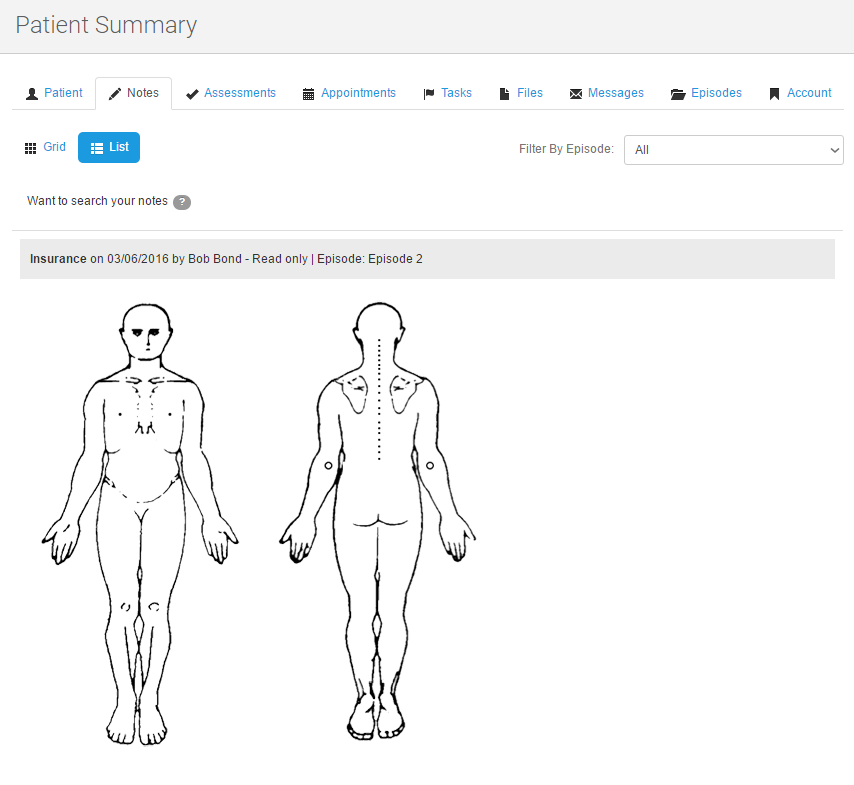
- Flexible and customisable note templates: Create templates for SOAP notes, assessments, and profession-specific formats for consistent documentation
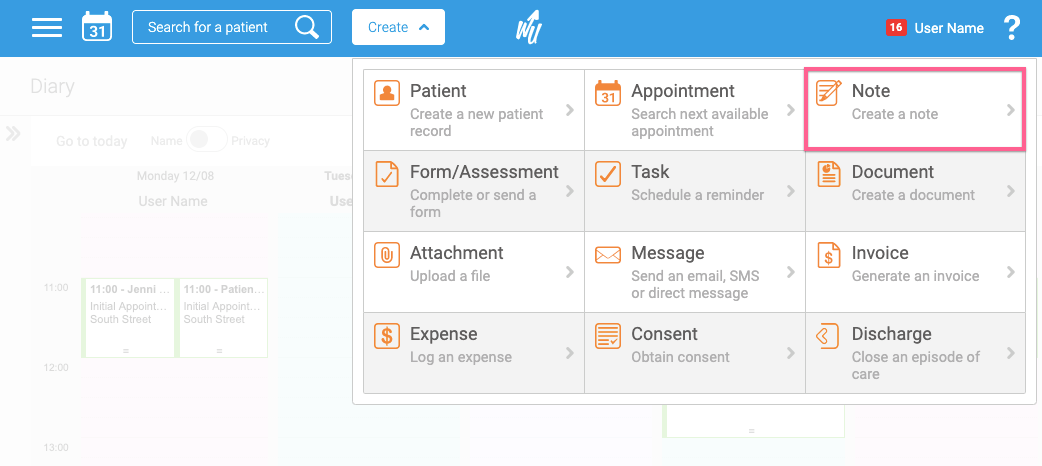
- Smart digital forms for accurate data collection: Intake, consent, and assessment forms can be completed before appointments and saved directly to patient records
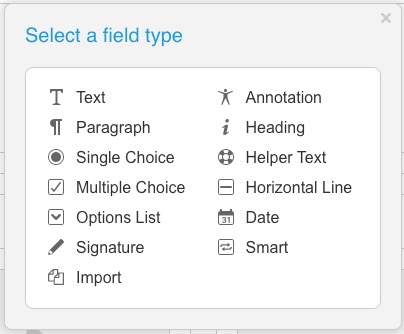
- Integrated diary and task management: Scheduling, tasks, and documentation work within the same system, reducing duplication

- Encrypted and GDPR aligned data protection: ISO certified infrastructure and two-factor authentication support safe handling of sensitive information
- Cloud-based access: Clinicians can securely view and update records from any connected device
WriteUpp functions as comprehensive clinic management software that addresses the full spectrum of clinical and administrative workflows in one integrated platform.
Final thoughts
Electronic health records software sits at the centre of modern clinical practice. The right system strengthens security, improves documentation, supports your workflow, and helps you deliver consistent, high-quality care.
When your records work properly, everything else gets easier. Your team stays aligned, compliance requirements get met without extra effort, and patients benefit from smoother, more coordinated care.
Book a Demo to Explore WriteUpp's EHR Tools
See key features in action and discover how they fit your workflow.

.png)

.png)





Join over 50,000 clinicians that we've helped using WriteUpp
Start my free trial